
The Reports tab on the Feedback page shows aggregated submission data: counts by form, by status, and over time.
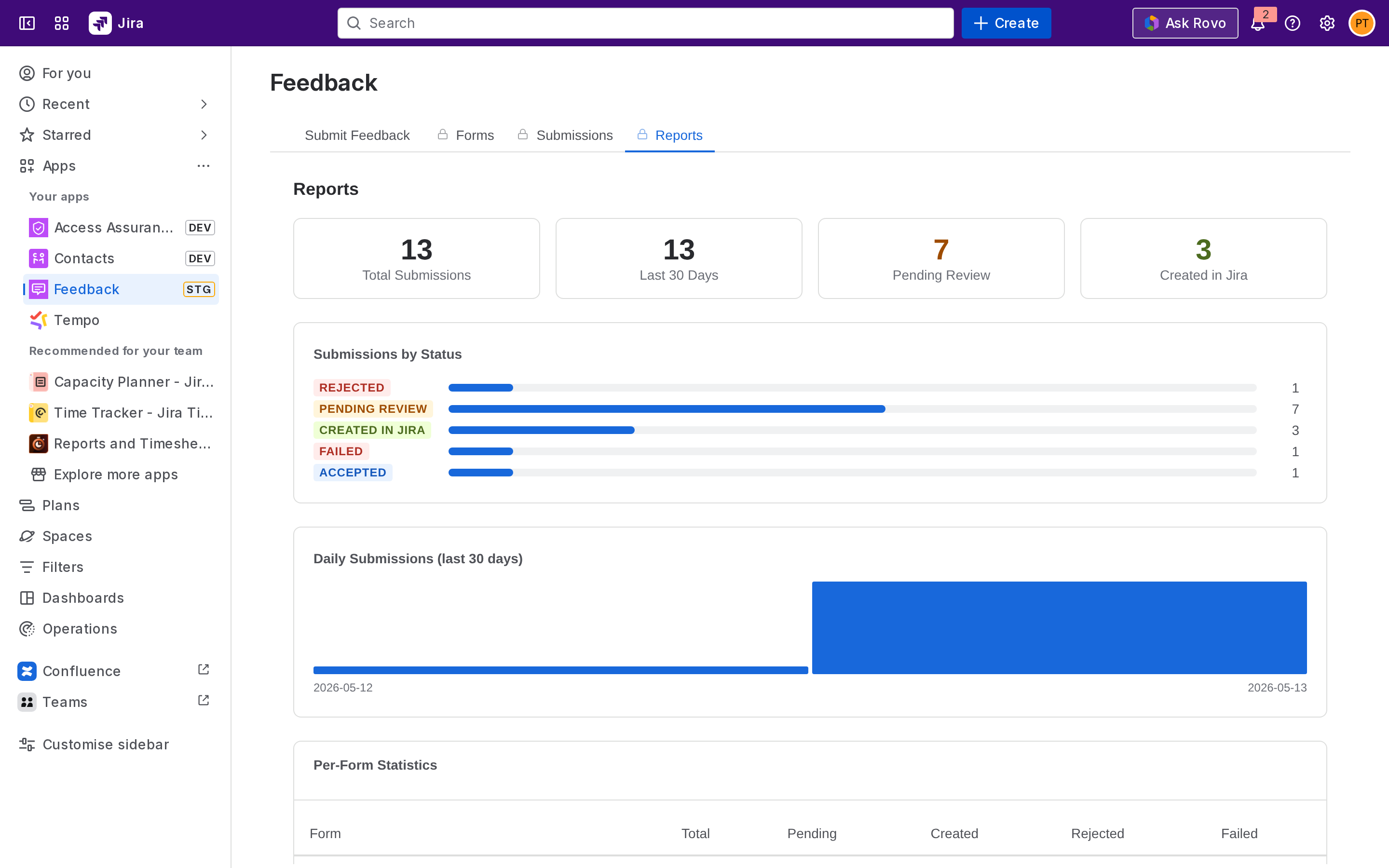
Reading the counts
Reports include:
-
Total submissions across all forms.
-
By status, how many are Pending Review, Created, Accepted, Rejected, Failed.
-
By form, submission volume per form.
-
By time period, submissions over the last 7 / 30 / 90 days.
Use these to spot which forms are getting traction and which are stale, or to confirm that recently published forms are receiving submissions.
Excel export
Click Export to Excel to download every submission as an .xlsx file. The export includes:
-
Submission ID, form name, submitter (or Anonymous), timestamp, status.
-
Every field value, one column per field.
-
Linked Jira issue key (if any).
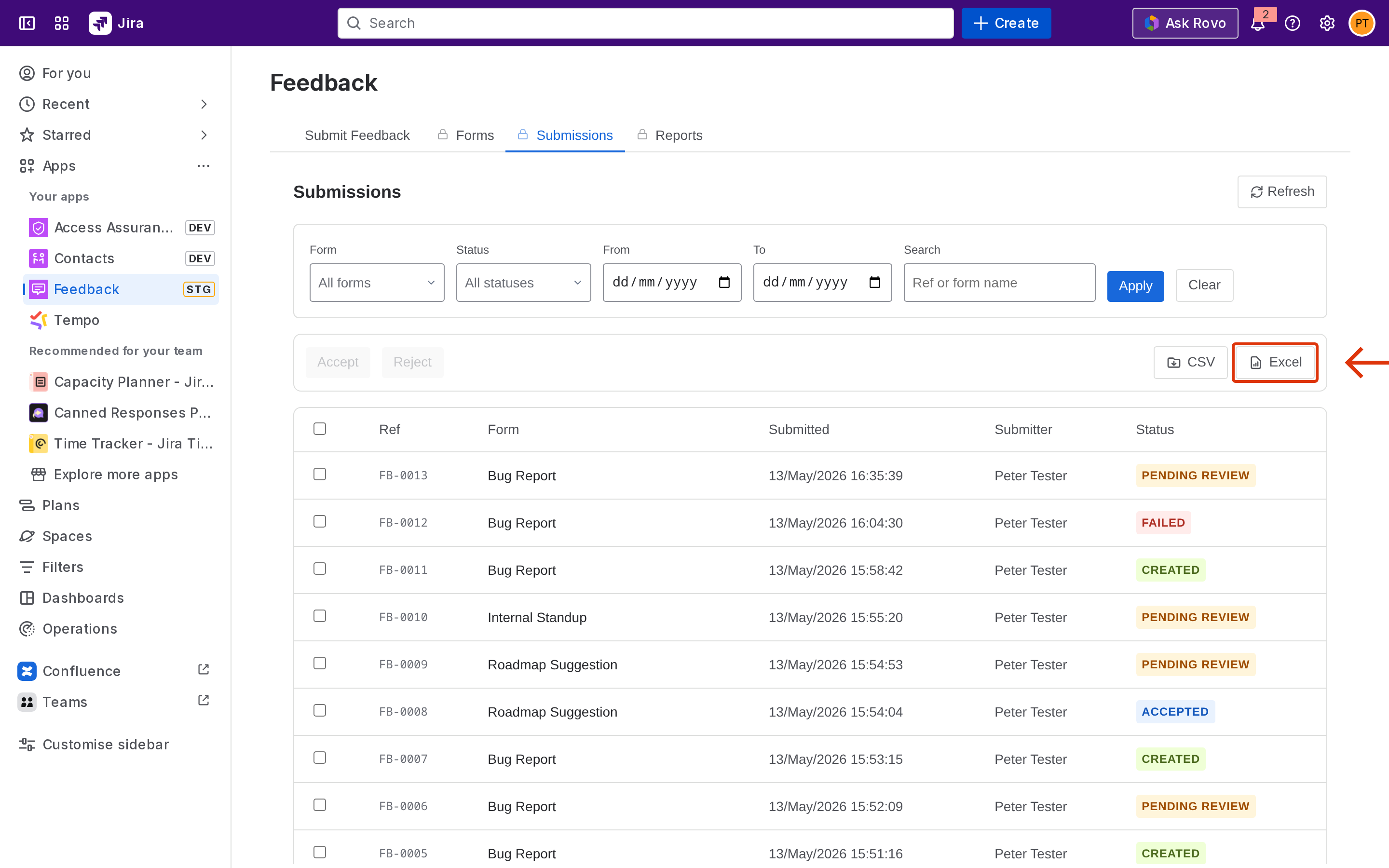
The export respects the active filters on the Submissions tab. To export everything, clear the filters first.
Next step
Required permissions - Forge scopes, admin rules, anonymous submission storage.