
End users have two entry points to submit feedback: the Feedback page inside Jira, and (when JSM is in use) the Help Center subheader.
From the Feedback page
-
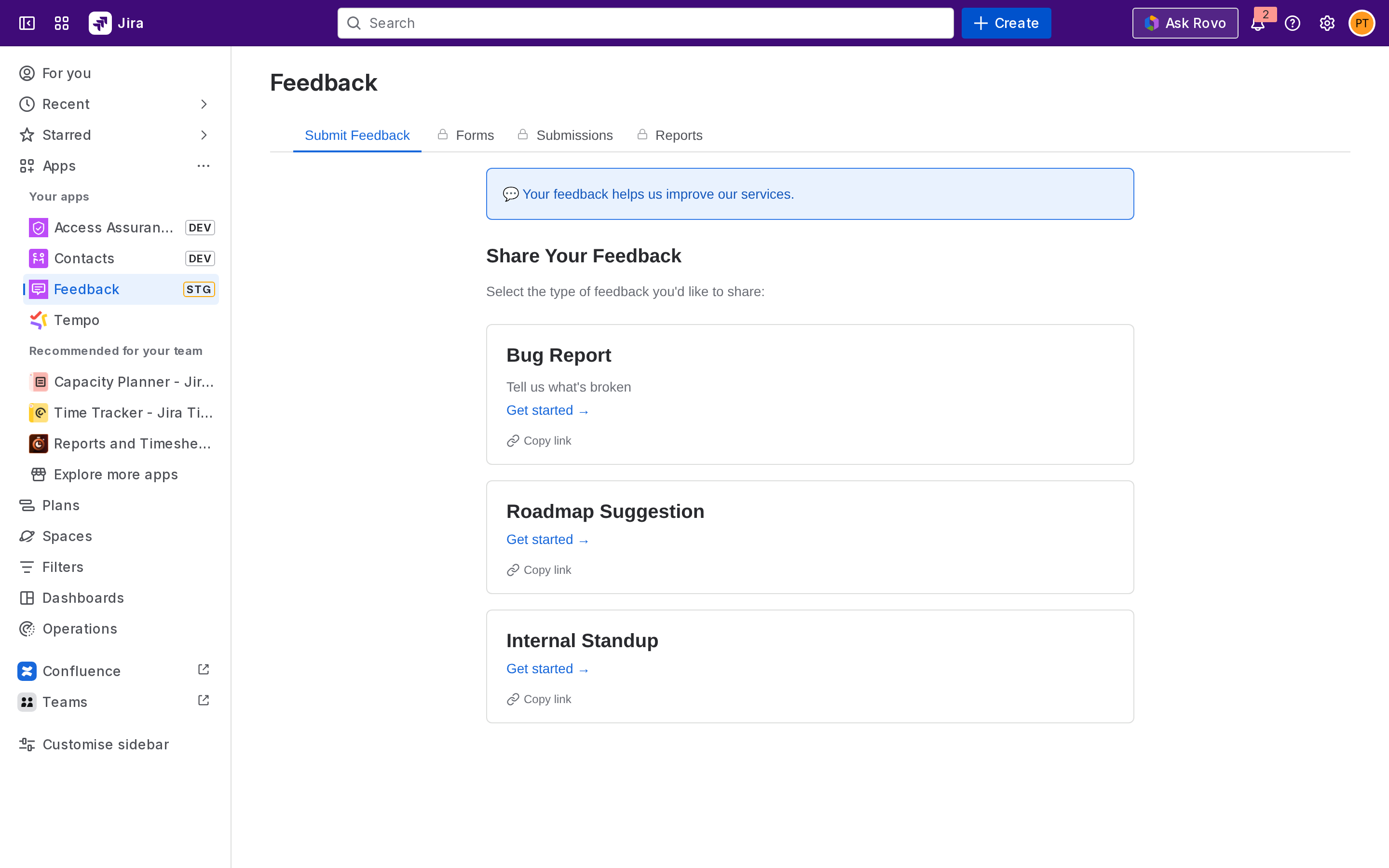
From the Jira top navigation, open Apps → Feedback.
-
On the Submit tab, choose a form from the list.
-
Fill in the fields and click Submit.
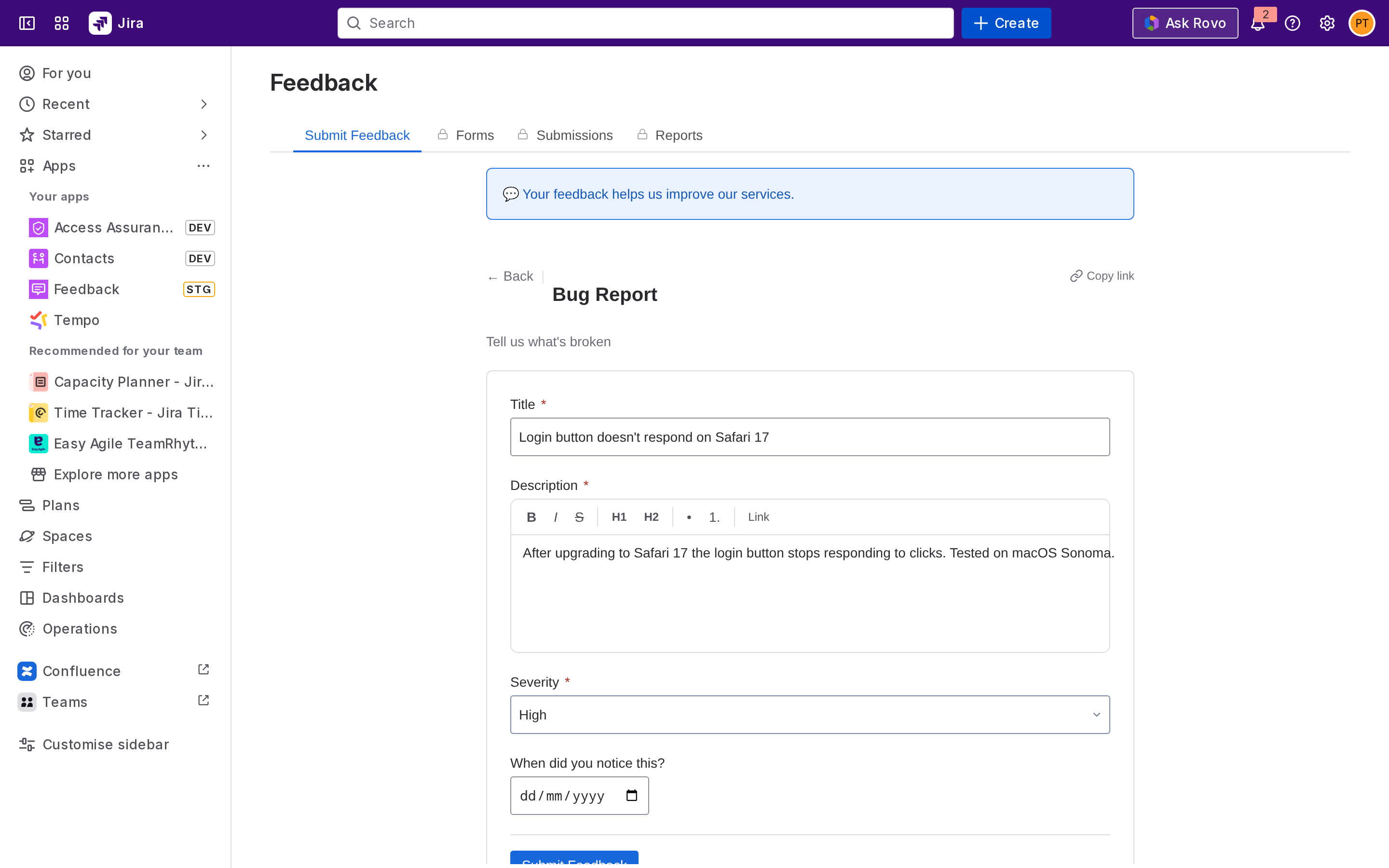
A success message confirms your submission. If the form is mapped to Jira, the submission goes to admin review before becoming a Jira work item.
From the JSM Help Center
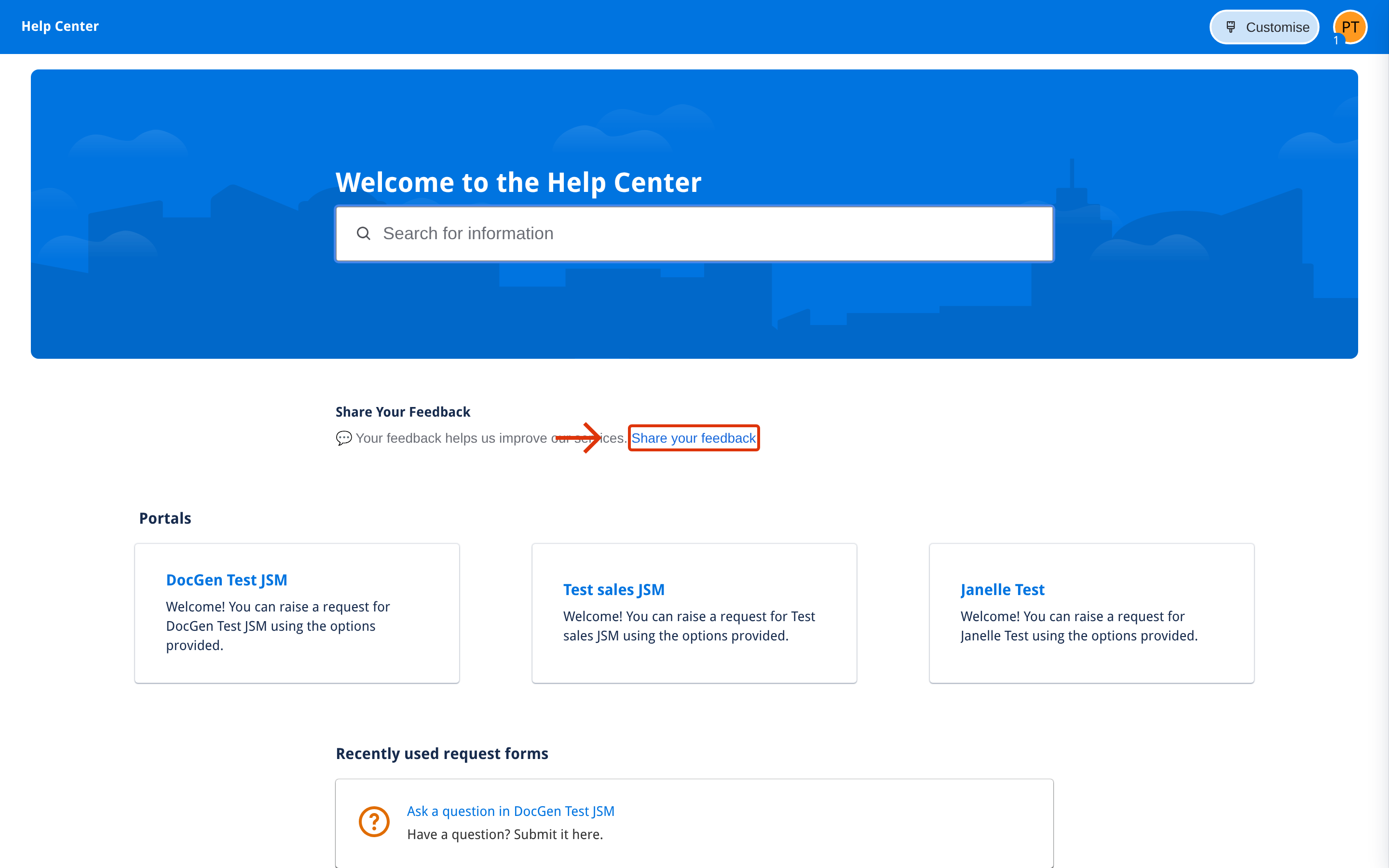
If your administrator has configured the Help Center prompt, a Share Your Feedback link appears at the top of your service desk's portal.
-
Click the link.
-
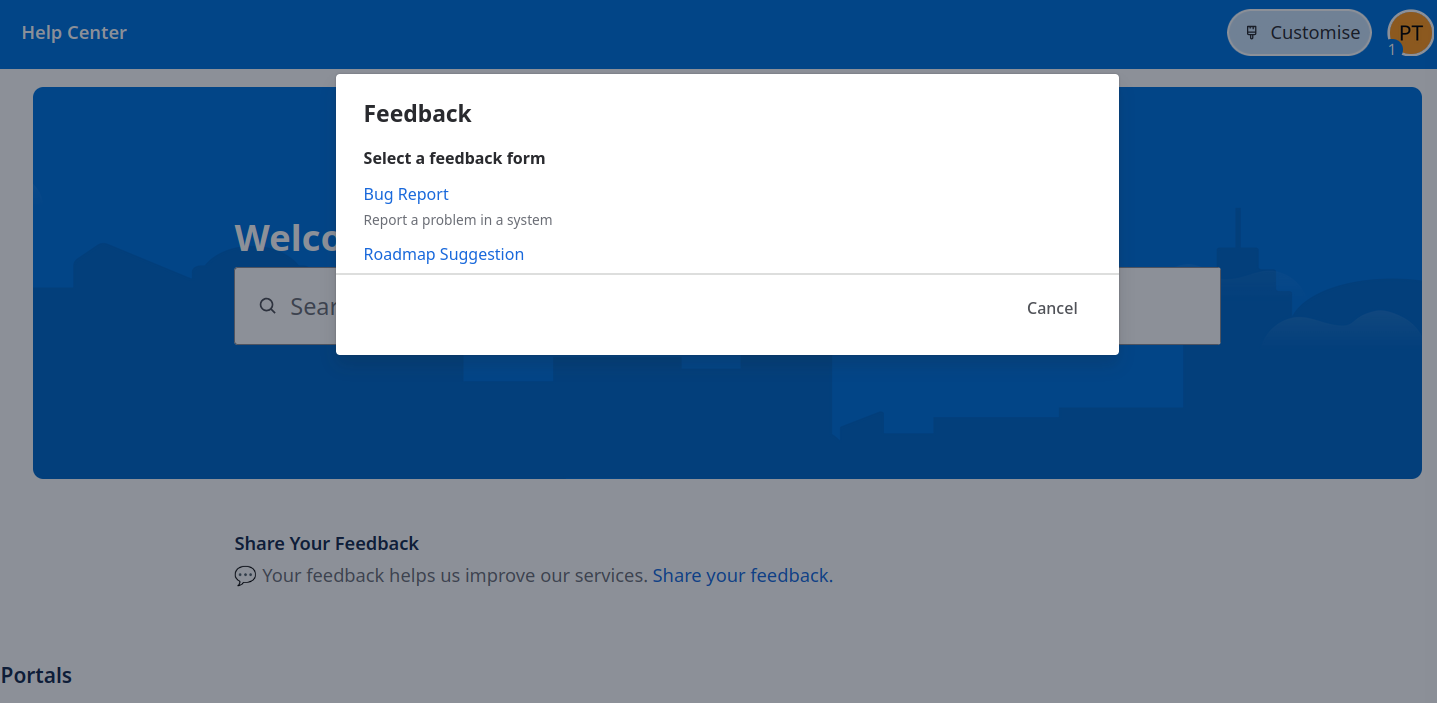
Choose a form from the list (only forms that allow Help Center / unlicensed access appear.)
-
Fill in the fields and click Submit.
You don't need a Jira license to submit through the Help Center, JSM customers and unlicensed users can submit directly.
Anonymous vs identified submissions
Forms can be flagged anonymous by the form's creator. When a form is anonymous:
-
Your account ID is not stored with the submission.
-
Admins reviewing the submission see no link back to you.
-
Forms that require attribution to the submitter (e.g. for follow-up) should leave anonymity off.
Next step
Reviewing and accepting submissions - for admins, what happens after the submit click.