
Here are a couple of problems you may run into, and our suggested solutions.
If you encounter a problem that isn’t covered here, please contact us via our support desk and we’ll get right back to you.
Nothing happens when I drop an email into Confluence
If you drop an email onto a Confluence page and you can see the email is attached, but none of the contents get inserted and you don’t see the “Adding email…” message (or any error message), try the following:
-
Check that the page has been published. If the page has a blue Publish button at the top right, it hasn’t been published yet.

(Togetha MailDrop doesn’t get told that you have dropped an attachment onto an unpublished page.)
-
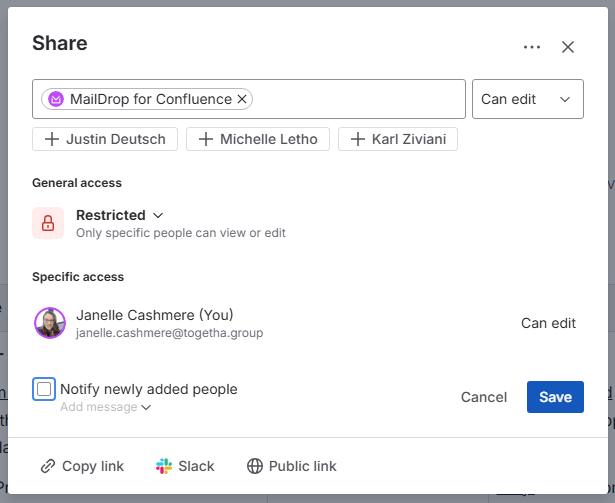
Page restrictions may be preventing Togetha MailDrop from accessing the page. Try creating a new page in your personal space, publishing it, then edit it, and add an email. If that works, then it is a page restriction preventing Togetha MailDrop from working. You may need to ask the space administrator to help fix the problem, but you can try allowing Togetha Maildrop to edit the page by:
-
clicking the padlock icon

-
adding Togetha MailDrop for Confluence as a user that can edit the page, click Save.
-
You get a message saying “Failed to load email, sorry.”
If Togetha MailDrop for Confluence says “Adding Email…” followed shortly after by "Failed to load email, sorry”, then an error has occurred while updating the page.
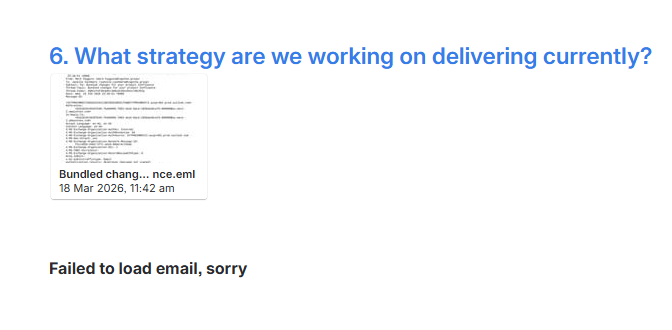
We have seen this on old Confluence pages that haven't been edited for a while. Try making a small change to the page and updating it before trying to add the email again. So:
-
Make a small change to the page, e.g. add “test” at the end.
-
Update the page by clicking Update.
-
Edit the page again.
-
Drop the email onto the page and see if it works.
If it still doesn’t work, it could be due to some formatting that isn’t compatible with Confluence.
If you do encounter problems loading emails, please do share it with us so we can fix it. You can get in contact via our support desk any time.
Some emails contain images that come from a server on the web (external images). These images may include some form of tracking information that will be triggered each time you view the image in Confluence. No other information on the page will be trackable, only the number of times the email is viewed.